You don't need a second app for pomodoro.
Your time tracker already has everything a pomodoro timer needs: the activity list, the switching, the history. Timetracker bakes the pomodoro right in, and auto-switches to your break activity when the focus session ends.
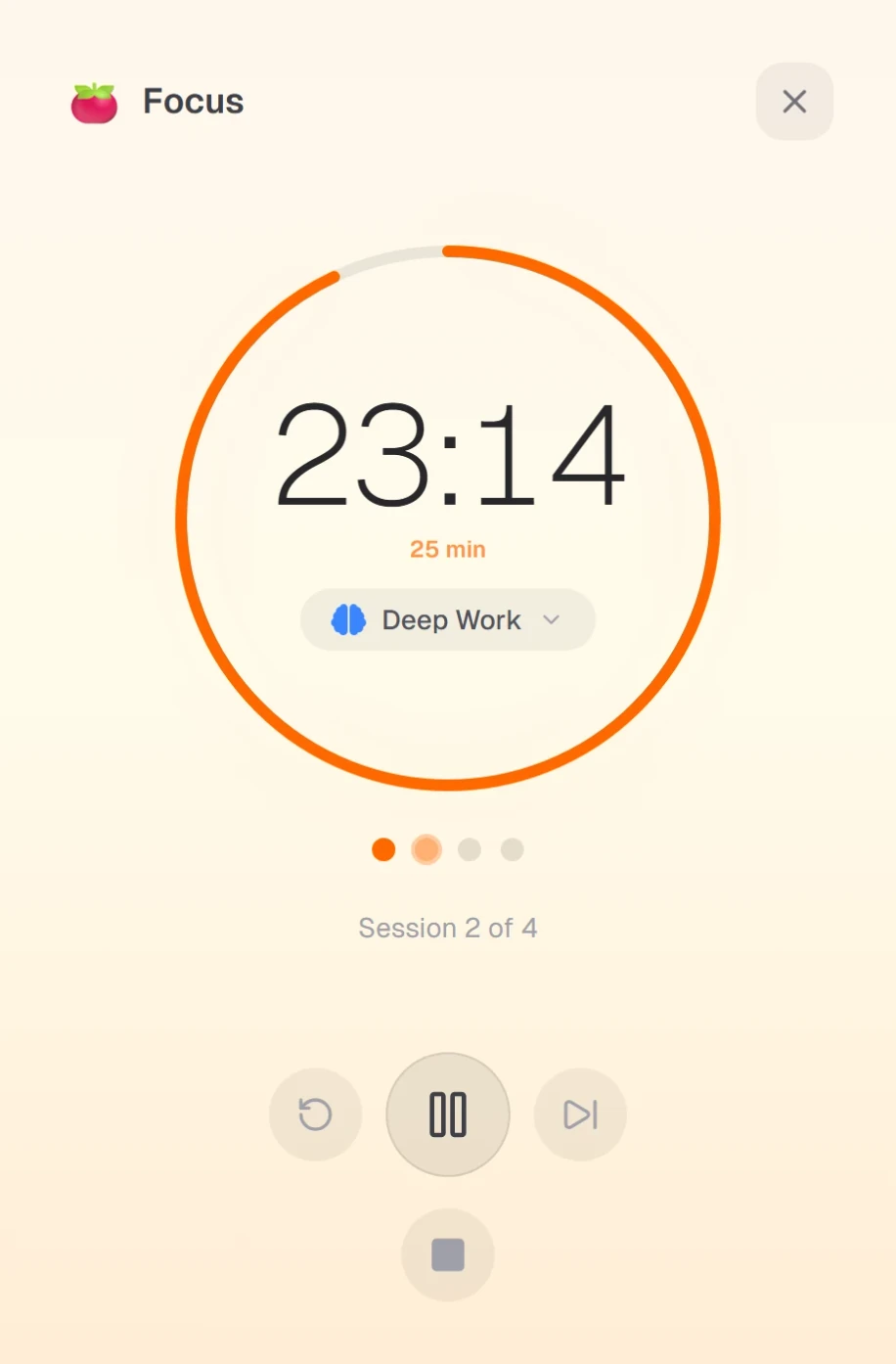
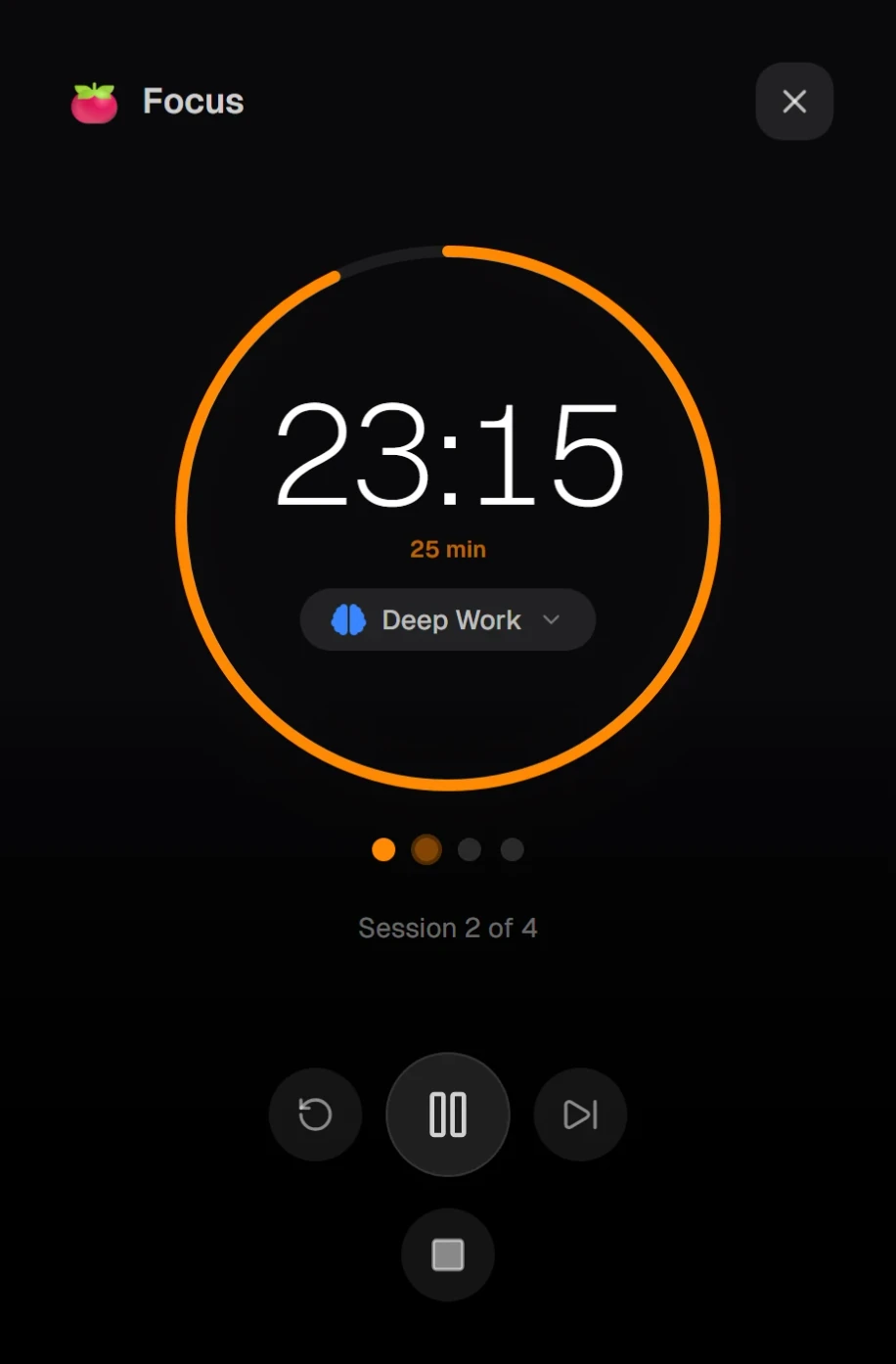
Why are you running two timers?
You open your time tracker and start "Deep work". Then you open a second app (Forest, Pomofocus, Focus Keeper) and start a 25-minute countdown. Two apps. Two timers. Two things to remember to stop. Two places your data lives. Half of "using pomodoro" is just juggling apps.
Timetracker has the pomodoro built into the time tracker itself. Pick an activity, hit focus, and the same app handles the countdown, the break, and the automatic switch back, all while logging the time where it already belongs.
One app, every pomodoro feature you actually need
One app, not two
The pomodoro timer lives inside your time tracker. Same activity list, same history, same one-tap switching. Nothing to install separately. Nothing extra to open when you want to focus.
Automatic activity switching
When the focus session ends, the timer switches to your break activity automatically. When the break ends, it switches back. Your tracked time stays continuous: no gaps, no manual switching.
Configurable intervals
Use the classic 25/5/15, or pick your own. Set focus duration, short breaks, long breaks, and long-break cadence. Works for 90-minute Ultradian blocks as well as Pomodoro Technique purists.
Custom notification sounds
Pick separate sounds for focus-end, break-end, and extra-time events. Or keep them silent and rely on the visual countdown. Configured once, synced everywhere.
Cross-device sync
Start a focus session on your laptop, step away, pick it up on your phone. Pomodoro state (current session, elapsed time, break status) stays in sync across every device you use.
Counts toward your goals
Focus sessions are real time entries on real activities. That means they automatically count toward your weekly goals, show up in your history, and feed into your category breakdown. No double entry anywhere.
One workflow, no app juggling
1. Pick an activity, hit focus
Tap the activity you want to focus on: Deep work, Writing, Study session, whatever. Start the pomodoro. The timer and the tracker are the same thing, so one tap does both.
2. Auto-switch to break
When 25 minutes are up, Timetracker automatically switches to your break activity. Rest. Stretch. Get water. Your tracked time stays continuous: no gaps, no forgotten switches.
3. Back to focus, automatically
When the break ends, the timer switches back to the focus activity and the next pomodoro begins. You don't touch anything. Repeat until your session is done.
Compared with standalone pomodoro apps
Forest, Pomofocus, Focus Keeper: all fine countdown timers. But they're a second app running alongside your time tracker, with their own rules, their own data, and their own stop button.
| Feature | Timetracker | OthersClassic pomodoro apps |
|---|---|---|
| Built into your time tracker | ||
| 25/5/15 pomodoro countdown | ||
| Auto-switches to break activity | ||
| Sessions logged as real time entries | ||
| Counts toward weekly goals | ||
| Cross-device real-time sync | ||
| Configurable intervals | Some | |
| Free — no ads | Varies |
Frequently asked questions
Why do I need a pomodoro timer built into my time tracker?
Because otherwise you're running two apps for the same focus session. You start your time tracker on 'Deep work,' then open a second app (Forest, Pomofocus, Focus Keeper) for the countdown. Two apps, two things to remember to stop, two places your data lives. Timetracker puts the pomodoro inside the time tracker, so one tap starts both.
Does it automatically switch to my break activity?
Yes — that's the point. When the focus timer ends, Timetracker automatically switches the active timer to your break activity (for example 'Rest' or 'Stretching'). When the break ends, it switches back to the focus activity. Your tracked time stays continuous without any manual switching.
How is this different from Forest, Pomofocus, or Focus Keeper?
Those are dedicated pomodoro apps. They do the countdown well, but they don't know anything about your time tracking. You still need a separate tracker to log what you actually worked on. Timetracker combines both into one workflow — one app, one activity list, one history.
Can I customize the focus and break durations?
Yes. Focus duration, short break, long break, and how many focus sessions come before a long break are all configurable in settings. The classic 25/5/15 works out of the box, but 50/10 or 90/20 work just as well.
Does the pomodoro timer sync across devices?
Yes. Start a focus session on your laptop, walk away, and the mobile app picks up right where you left off. Pomodoro state — current session, elapsed time, break status — syncs in real time across web, Android, iOS, Windows, macOS, and Linux.
Can I pick my own notification sounds?
Yes. Focus end, break end, and extra-time events each have their own configurable sound. Pick one of the built-in tones or keep them silent if you prefer a visual-only experience.
Is the pomodoro timer really free?
Yes. The pomodoro timer is available on every platform, with no ads. All the core functionality — focus sessions, breaks, auto-switching, sync, custom sounds — is included from day one.
What if I need more time mid-session?
You can extend a focus session with extra time. The progress circle stays smooth (no jarring reset), and both the original duration and the extension are preserved even if you pause or close the app.
Which platforms support the pomodoro timer?
Every platform: Web, Android, iOS, Windows, macOS, and Linux. One account, same pomodoro state everywhere.