Time tracker for Android
Track all 24 hours of your day, not just work. A free personal time tracker app to help you balance work, health, hobbies, and family.
Everything you need to track your time
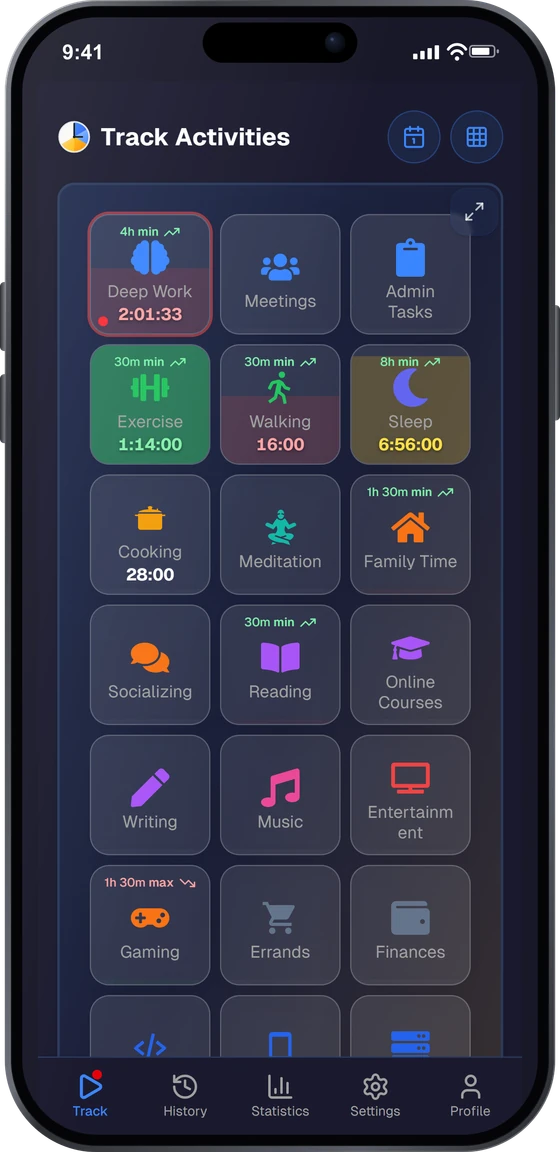
Track all 24 hours
Not just work: track sleep, exercise, hobbies, family time, and everything in between. See where your entire day goes.
Categories
Organize activities into categories like Work, Health, Family, and Hobbies. Understand how you balance different parts of your life.
Goals & budgets
Set daily, weekly, or monthly time goals for any activity. Stay accountable and track your progress over time.
Statistics & insights
Visualize your time with charts and reports. See trends across days, weeks, and months to make better decisions.
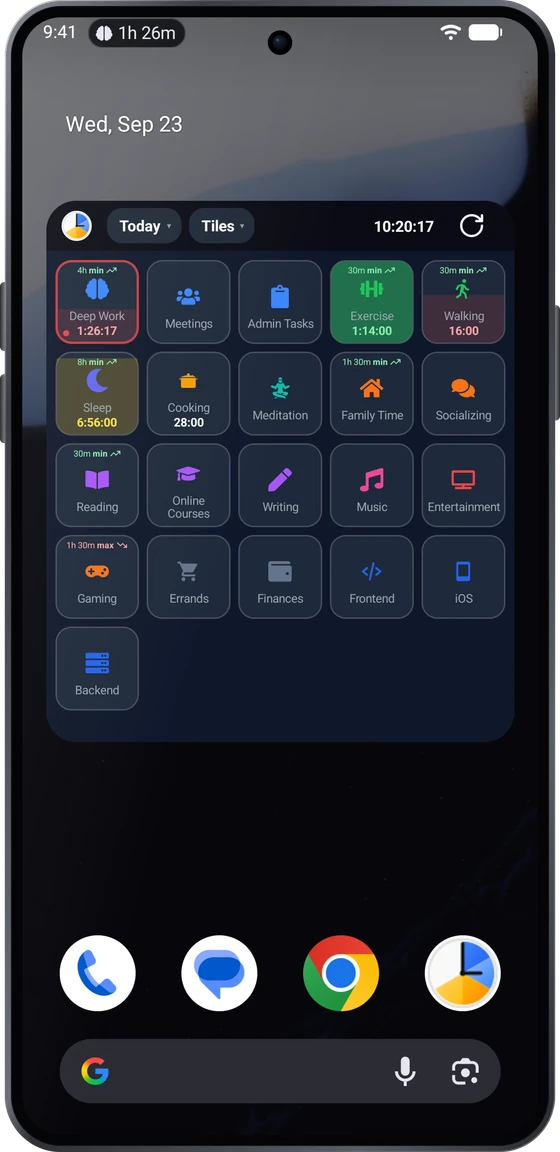
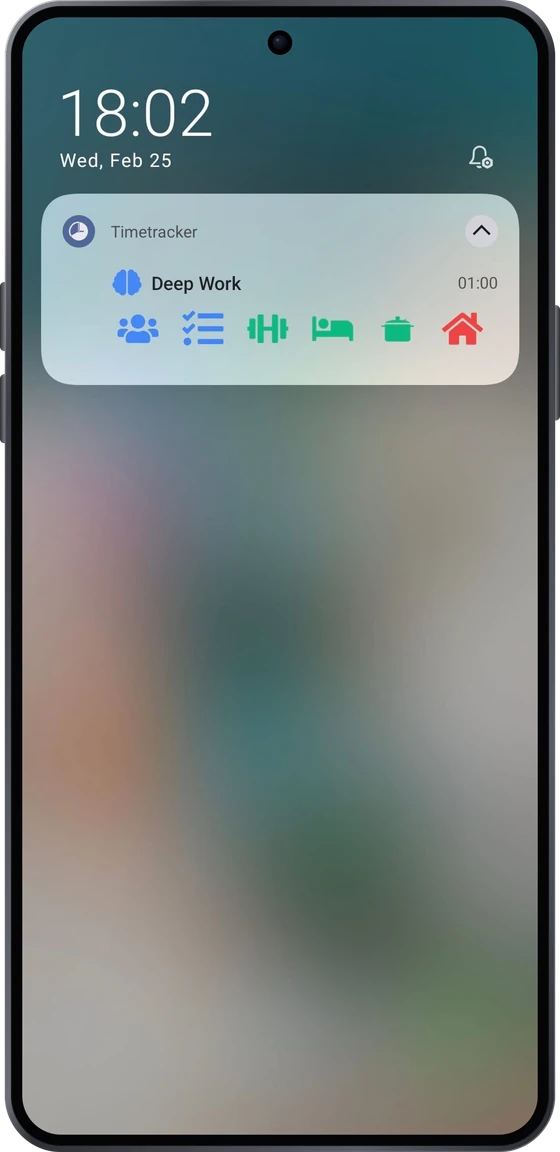
Notification & widget
See your current activity in a persistent notification and switch right from the notification bar. Add a home screen widget to start and switch activities without even opening the app.
Syncs everywhere
Your data syncs across devices. Start tracking on your phone, review stats on your computer. One account, everywhere.
Why mobile?
Always with you
Your phone is always in your pocket. Switch activities the moment they change: no delay, no forgetting, no catching up later.
One-tap switching
Tap an activity to start tracking. The previous timer stops automatically. No manual stop-then-start, just one tap per switch.
How it works
1. Set up your categories
Create 5-7 categories like Work, Health, Sleep, and Hobbies. Add a few activities under each. Takes about 2 minutes.
2. Track as you go
Tap an activity to start tracking. When you switch to something else, tap the new activity: the previous timer stops automatically.
3. See where time goes
Check daily, weekly, and monthly breakdowns. See exactly how you divide your time across work, health, family, and everything else.
Frequently asked questions
Is Timetracker for Android really free?
Yes. Everything in the app today is free — no ads, no per-user pricing. Every current feature is available from day one.
What Android version do I need?
Timetracker works on Android 8.0 (Oreo) and later. That covers the vast majority of Android devices in use today.
Does it sync with my computer?
Yes. Your data syncs across all devices — Android, iPhone, Windows, Mac, Linux, and the web app. Start a timer on your phone, check stats on your laptop.
Does the app drain my battery?
No. Timetracker uses minimal background resources. The persistent notification keeps it alive without aggressive battery usage.
Can I track more than just work hours?
That's what Timetracker is designed for. Unlike most time trackers that focus on billable hours, Timetracker covers your entire day — work, sleep, exercise, hobbies, family time, and everything in between.
Is my data private?
Your data is stored securely and is only accessible to you. We don't sell data, show ads, or share your information with third parties.
Also see: built-in pomodoro timer, vs Toggl, vs Clockify, or read the blog.