Time tracker for Zepp OS
Start, switch and stop activities from your Amazfit watch. It shows what is running and today's time for each activity, and stays in sync with your phone, computer and the web.
Install it from the Zepp app on your phone
- Open the Zepp app on the phone connected to your watch.
- Go to Profile, tap your watch, then tap App Store.
- Search for1133002ortimetracker.liveand install Timetracker.
Part of Timetracker Premium, free for the first week.
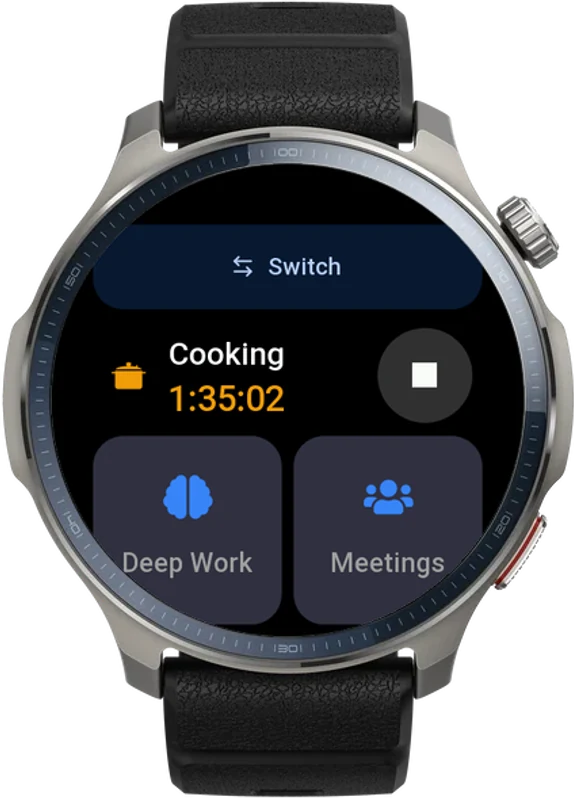
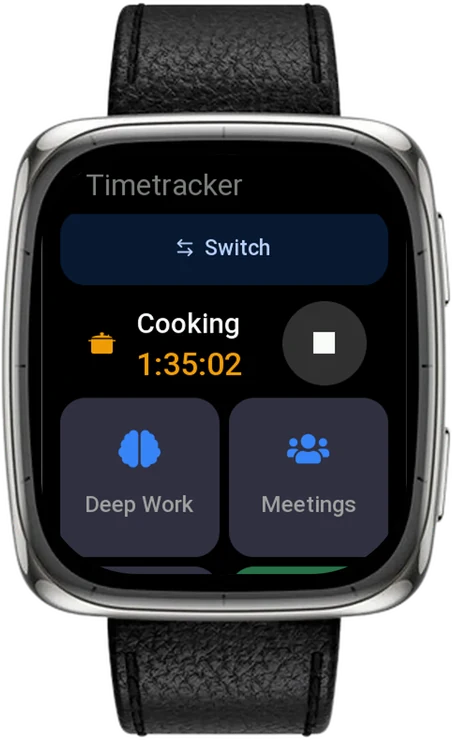
Why on an Amazfit?
It is already on your wrist all day. Now it tracks the day too, with the same activities as everywhere else.
What is running, with Stop
The running activity and its counter come first, with Stop one tap away.
Tiles for your activities
Each tile shows today's time and its goal. Tap one to start it or switch to it.
Signs in with a code
The watch shows a short code. Enter it on timetracker.live/watch from any device, and there is nothing to type on a small screen.
How it works
1. Install from the Zepp app
On your phone, open the Zepp app, go to Profile, tap your watch and open the App Store. Search for 1133002 or timetracker.live and install Timetracker.
2. Sign in with a code
Open the app on the watch, then enter the code it shows on timetracker.live/watch. Sign in there if you are not already.
3. Track from your wrist
Tap a tile to start an activity, tap another when the day moves on. What you track shows up on your other devices.
Frequently asked questions
Where do I get it?
From the Zepp App Store, inside the Zepp app on your phone: go to Profile, tap your watch and open the App Store, then search for 1133002 or timetracker.live.
Which watches does it run on?
Amazfit watches on Zepp OS 3.0 or newer, such as the Balance 2 and the Active 2 Square. If your watch is supported, the app appears in its Zepp App Store.
Do I need Premium?
Yes. The watch app is part of Timetracker Premium, which you can try free for a week. Without it the watch says the app is part of Premium.
How does the watch sign in?
The watch shows a short code. Open timetracker.live/watch on any device, sign in and enter the code. There is nothing to type on the watch.
What does the watch show?
The running activity with its counter and Stop, and a tile for each activity with today's time and its goal.
Does it sync with my other devices?
Yes. A session started on the watch appears on your phone, computer and the web app, and the other way round.
Another watch? Garmin
Also see: built-in pomodoro timer, vs Toggl, vs Clockify, or read the blog.