Timetracker vs Toggl: different tools, different goals
Toggl Track is the industry standard for billing clients and managing work projects. Timetracker is built for something different: tracking your entire day across work, health, sleep, hobbies, and family to find better life balance.
The short answer
Choose Toggl if you're a freelancer or team that needs to track billable hours, manage client projects, and generate invoices. Toggl is excellent at work time management and has deep integrations with project management tools.
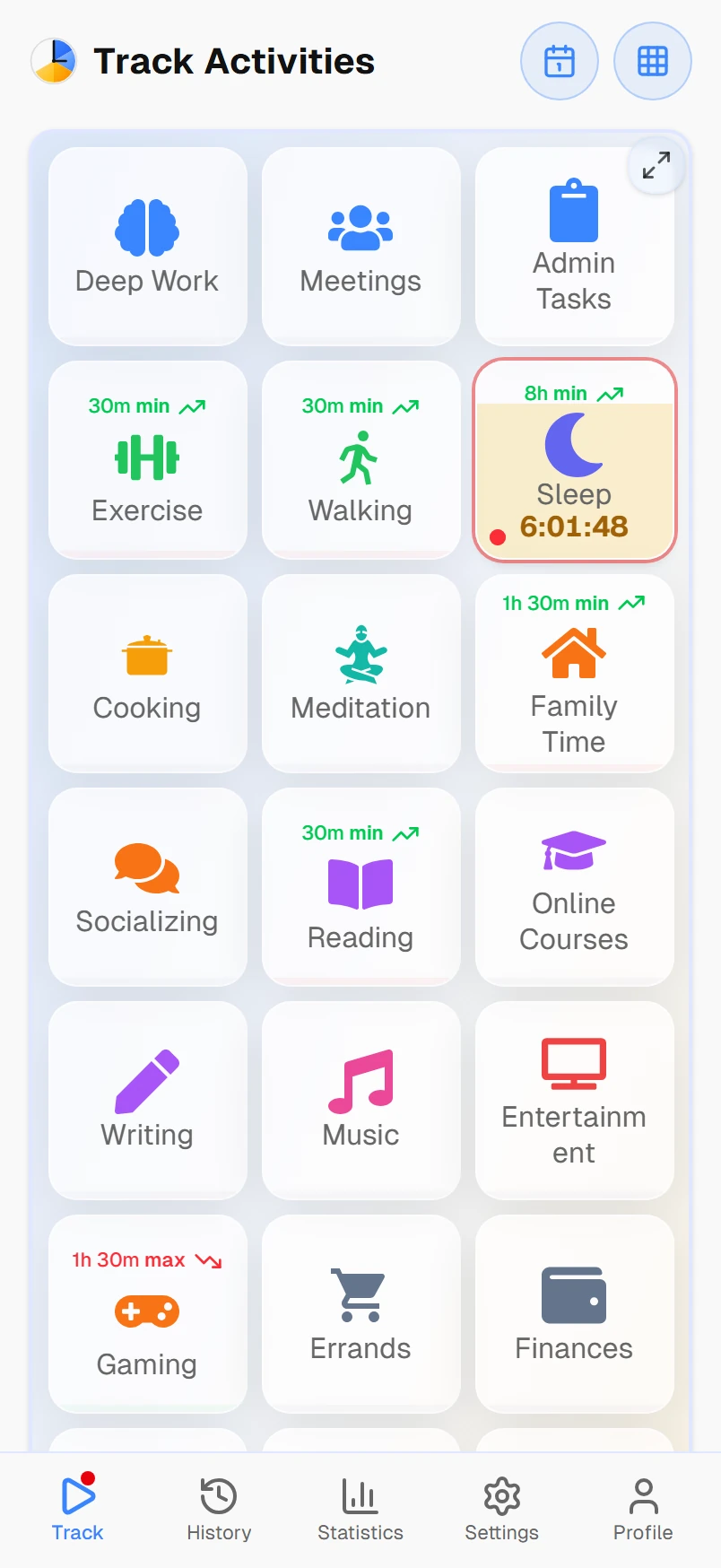
Choose Timetracker if you want to understand where all 24 hours of your day go, not just work. Timetracker organizes your time into categories (Work, Health, Sleep, Family, Hobbies) and gives you a complete picture of how you balance your life, with personal time goals to help you improve.
Key differences
24 hours vs work hours
Toggl tracks the hours you bill. Timetracker tracks every hour: work, sleep, exercise, commute, family time, hobbies. Your whole day is one continuous timeline.
Categories vs projects
Toggl organizes time by clients and projects. Timetracker organizes by categories: Work, Health, Family, Learning. Activities nest under categories, giving you a complete picture of life balance.
Goals vs invoices
Toggl helps you invoice accurately. Timetracker helps you set personal goals: exercise 5 hours a week, sleep 8 hours a day, limit social media. Different tools for different purposes.
Free vs freemium
Toggl's free tier limits you to 5 users with basic reporting. Advanced features like project templates, time estimates, and integrations start at $9/user/month. Timetracker includes all features at no cost.
Life insights vs timesheets
Toggl shows timesheets and project reports for work. Timetracker shows how you balance work against everything else: daily, weekly, and monthly breakdowns across all categories.
One tap vs start/stop
Toggl requires starting and stopping separate timers. Timetracker uses one-tap switching: tap a new activity, the previous one stops automatically. No gaps, no overlap, no forgotten timers.
Feature-by-feature comparison
| Feature | Timetracker | TogglToggl Track |
|---|---|---|
| Primary purpose | Track your entire day | Track billable work hours |
| Tracking model | Continuous (no gaps) | Start/stop (gaps between entries) |
| Organization | Categories & activities | Projects & clients |
| 24-hour coverage | ||
| Personal time goals | ||
| Built-in pomodoro timer | ||
| Auto-switch to break activity | ||
| Invoicing & billing | ||
| Client management | ||
| Team features | ||
| Nested activities | ||
| Free tier is the whole app | Free tier limited | |
| Android app | ||
| iOS app | ||
| Desktop apps | Windows, Mac, Linux | Windows, Mac, Linux |
| Web app |
Last updated: March 2026. Feature data based on publicly available information.
Which one is right for you?
Choose Toggl if you...
- Bill clients by the hour
- Manage team projects and timesheets
- Need invoicing and billing integrations
- Want detailed project profitability reports
- Track time primarily for work
Choose Timetracker if you...
- Want to track your entire day, not just work
- Care about work-life balance
- Want to build better daily habits
- Set personal time goals (exercise, sleep, learning)
- Want a simple, free tool without billing complexity
Frequently asked questions
What is the main difference between Timetracker and Toggl?
Toggl Track is designed for tracking billable work hours across projects and clients. Timetracker is designed for tracking your entire day — all 24 hours across work, sleep, exercise, hobbies, and family. They solve different problems: Toggl helps you bill clients, Timetracker helps you understand your life.
Is Timetracker really free compared to Toggl?
Timetracker's free tier is the whole app, not a limited slice of it. Toggl has a free tier limited to 5 users with basic features — advanced reporting, project templates, and integrations require paid plans starting at $9/user/month.
Can I use Timetracker for work time tracking like Toggl?
Yes. Timetracker can track work activities just like Toggl. However, it doesn't have invoicing, client management, or billable rates. If you need to bill clients, Toggl is the better choice. If you want to understand how work fits into your overall life balance, Timetracker is more useful.
Does Timetracker have gaps in tracking like Toggl?
No. Toggl expects you to start and stop individual timers, which creates gaps between entries. Timetracker uses continuous tracking — you're always tracking something. When you tap a new activity, the previous one stops automatically. Your timeline has no gaps.
Does Toggl have a pomodoro timer?
No. Toggl Track doesn't have a built-in pomodoro timer — if you use the Pomodoro Technique alongside Toggl, you need a second app for the countdown. Timetracker has a pomodoro timer baked directly into the time tracker: pick an activity, start a focus session, and the app automatically switches to your break activity when focus ends (and back when the break is over). One app instead of two.
Which platforms do Timetracker and Toggl support?
Both apps work on web, Android, iOS, Windows, Mac, and Linux. Timetracker runs everywhere Toggl does, with the same real-time sync across devices.
Should I switch from Toggl to Timetracker?
It depends on your goal. If you track time to bill clients or manage team projects, stay with Toggl — it's excellent for that. If you want to track your entire day to find better life balance, understand your habits, and set personal time goals, Timetracker is built specifically for that purpose.