Free time tracker for Mac
A native macOS time tracker that covers all 24 hours of your day: work, sleep, health, hobbies, and family, not just billable hours. No ads, no per-user pricing, free to use.

macOS 11+ · Intel & Apple Silicon · Available on the Mac App Store
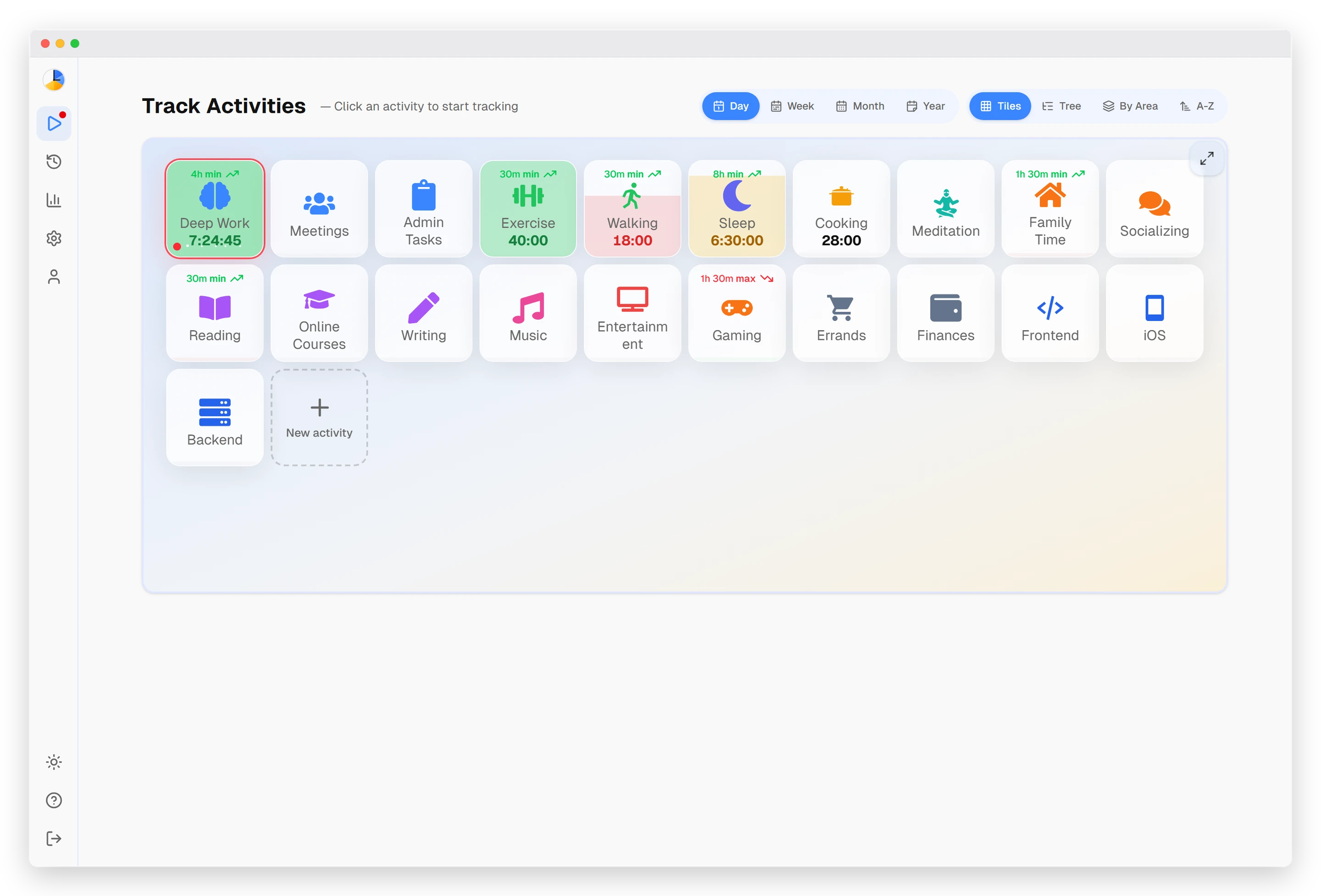
Why a desktop app?
You can run Timetracker in Safari, but the native Mac app earns its place in your menu bar if you spend most of the day at your desk.
Always in the menu bar
Timetracker sits in your macOS menu bar and launches at login. No browser tab to hunt for or accidentally close: your timer just keeps running while you work.
Switch in one click
Click the menu-bar icon to start, stop, or switch activities instantly. The tracker is always one click away, whatever app you happen to be in.
Native Apple Silicon
A universal build runs natively on both Apple Silicon (M1–M4) and Intel Macs. Built with Tauri, not Electron: tiny footprint, no fan spin.
Everything you need to track your time
Track your whole day on Mac
Most Mac time trackers stop at billable hours. Timetracker captures all 24 (deep work, sleep, workouts, hobbies, and family time) so nothing about your day goes unaccounted for.
Categories, not just projects
Group activities into categories like Work, Health, Family, and Side Projects. One glance at the week shows whether your life is balanced or tilting hard into a single corner.
Daily & weekly goals
Set time goals for any activity (eight hours of sleep, two hours of focused work, three workouts a week) and watch your progress fill in as you track on your Mac.
Charts & insights
Daily, weekly, and monthly breakdowns surface trends you'd never notice otherwise, like the weeks work quietly ate your evenings.
Lives in your menu bar
A real native macOS app, not a browser tab. Switch activities from the menu bar, keep a timer running in the background, and launch automatically at login.
Syncs with iPhone & iPad
Start a timer on your Mac and switch it from your iPhone on the way out the door. One account keeps Mac, iPhone, iPad, and the web in real-time sync.
How it works
1. Set up your categories
Create 5–7 categories like Work, Health, Sleep, and Hobbies and add a few activities under each. Two minutes in the Mac app and you're ready.
2. Track from the menu bar
Click an activity to start the timer. Switch to something else and the previous one stops automatically, no manual stop-and-start juggling.
3. See where your time goes
Open the daily, weekly, and monthly views to see exactly how your hours split across work, health, family, and rest.
A time tracker that feels native to macOS
Timetracker is a native macOS time tracker, not a website wrapped in a window. It installs from the Mac App Store, lives in your menu bar, and launches quietly at login, so logging your day takes no more than a glance and a click. Whether you're on a MacBook Air with Apple Silicon or an older Intel iMac, the universal build runs natively with a tiny memory footprint and no Electron bloat.
Most Mac time trackers are built for freelancers logging billable hours. Timetracker takes the opposite view: your work hours are only part of your day. The same menu-bar app that tracks a focused coding session also tracks your morning run, your eight hours of sleep, and the evening you spent with family, and lays them side by side so you can see whether your life is actually in balance.
Because everything syncs in real time, the Mac app is just one window into your data. Start a focus block at your desk, then check the stats from your iPhone over lunch or the web app on a borrowed laptop. Your categories, goals, and history follow you everywhere: no export, no manual sync, no lock-in.
Frequently asked questions
Is Timetracker for Mac really free?
Yes. Everything in the app today is free — no ads, no per-user pricing. Every current feature is available from day one.
What versions of macOS are supported?
Timetracker runs on macOS 10.15 (Catalina) and later, including Ventura, Sonoma, and Sequoia. Supports both Intel and Apple Silicon (M1/M2/M3/M4) Macs.
Does it sync with my iPhone?
Yes. Your data syncs across all devices — Mac, iPhone, iPad, Android, Windows, and the web app. Start a timer on your Mac, switch it from your iPhone.
Is it available on the Mac App Store?
Yes. Timetracker is available on the Mac App Store — install it with one click and get automatic updates through the Store.
Can I track more than just work hours?
That's what Timetracker is designed for. Unlike most time trackers that focus on billable hours, Timetracker covers your entire day — work, sleep, exercise, hobbies, family time, and everything in between.
Is my data private?
Your data is stored securely and is only accessible to you. We don't sell data, show ads, or share your information with third parties.
Can I use it without installing anything?
Yes — the web app at timetracker.live works in any browser, including Safari. The Mac desktop app is optional, for people who prefer a native experience without keeping a browser tab open.
Also see: built-in pomodoro timer, vs Toggl, vs Clockify, or read the blog.