How to Set Time Goals That Actually Work
Stop setting vague goals like 'exercise more.' Set minimum, maximum, and exact time goals with daily, weekly, and custom schedules. Free time tracking app.


"I should exercise more." "I need to spend less time on social media." "I want to read every day."
Sound familiar? These are intentions, not time tracking goals. They're vague, unmeasurable, and they quietly die within a week. The problem isn't willpower — it's that "more" and "less" don't mean anything specific.
Real goals have numbers, schedules, and feedback. That's exactly why we built a flexible goal system into timetracker.live — three different goal types for three very different situations, with schedules that match how your week actually works.
The Three Types of Time Goals
Not all goals work the same way. Wanting to exercise at least an hour is fundamentally different from wanting to spend no more than an hour on email. Treating them the same is why most goal systems fail.
Minimum Goals: "At Least This Much"
Use for things you want to do more of.
- Exercise: at least 30 minutes per day
- Deep work: at least 4 hours per day
- Reading: at least 20 minutes per day
- Family time: at least 1 hour per day
Minimum goals have a clear threshold: hit it and you've succeeded. Go over? Even better. The progress bar fills up green when you reach your target, giving you that satisfying "done" feeling.
The key insight: minimum goals work best for habits you're building. You're not trying to be precise — you're trying to make sure the activity gets enough of your time.
Maximum Goals: "No More Than This"
Use for things you want to limit.
- Social media: no more than 30 minutes per day
- Meetings: no more than 2 hours per day
- TV/streaming: no more than 1 hour on weekdays
- Email: no more than 45 minutes per day
Maximum goals flip the psychology. Instead of filling up a bar, you're trying to stay under a ceiling. The indicator stays green as long as you're within your limit — and turns red the moment you exceed it.
This is powerful for time sinks — activities that aren't bad in moderation but tend to expand if you're not watching. Most people don't realize they spend 2 hours on email until they see the number in red.
Exact Goals: "Hit This Target"
Use for time-blocked activities with fixed allocations.
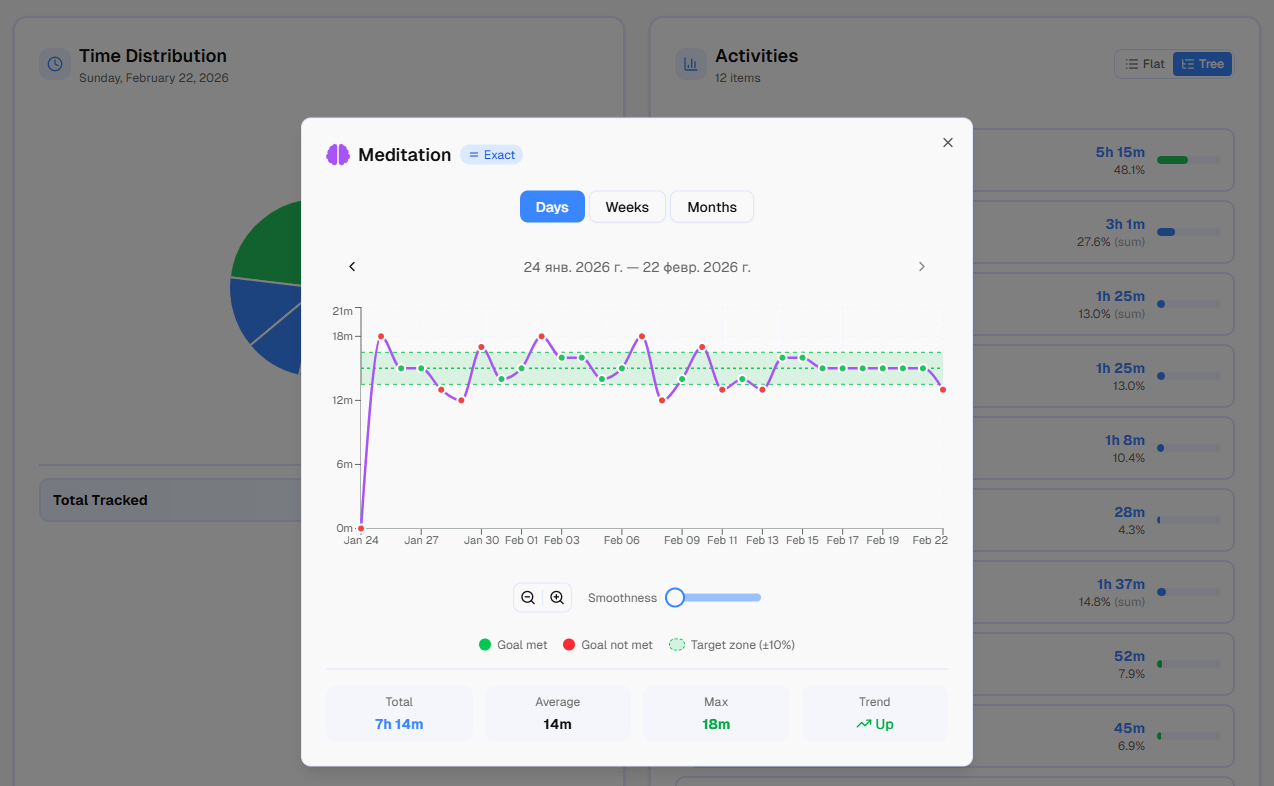
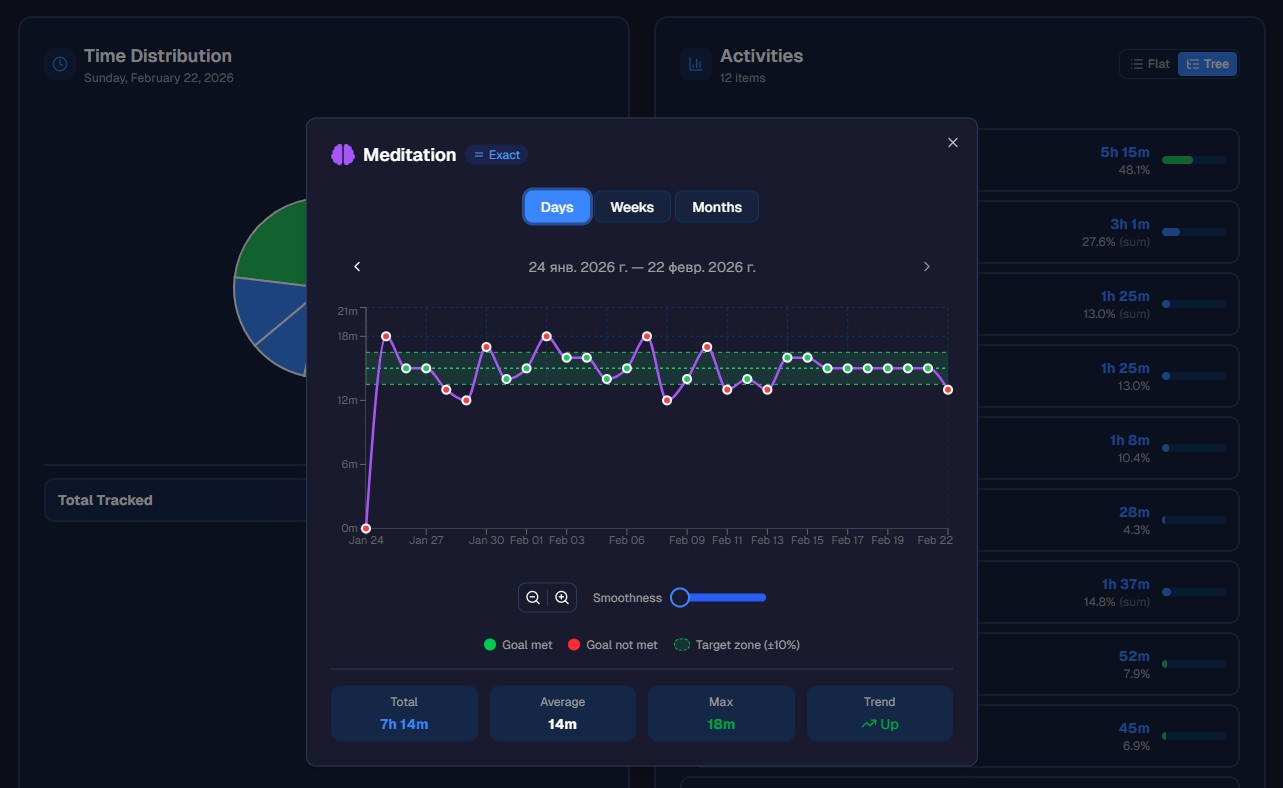
- Meditation: exactly 15 minutes per day
- Language practice: exactly 30 minutes per day
- Lunch break: exactly 1 hour per day
Exact goals are the strictest. You're aiming for a bullseye — too little and too much both count as off-target. The indicator turns green only when you're within about 10% of your target.
This works best for structured routines where consistency matters more than volume. You don't want to meditate for 5 minutes or 45 minutes — you want exactly 15, every day.
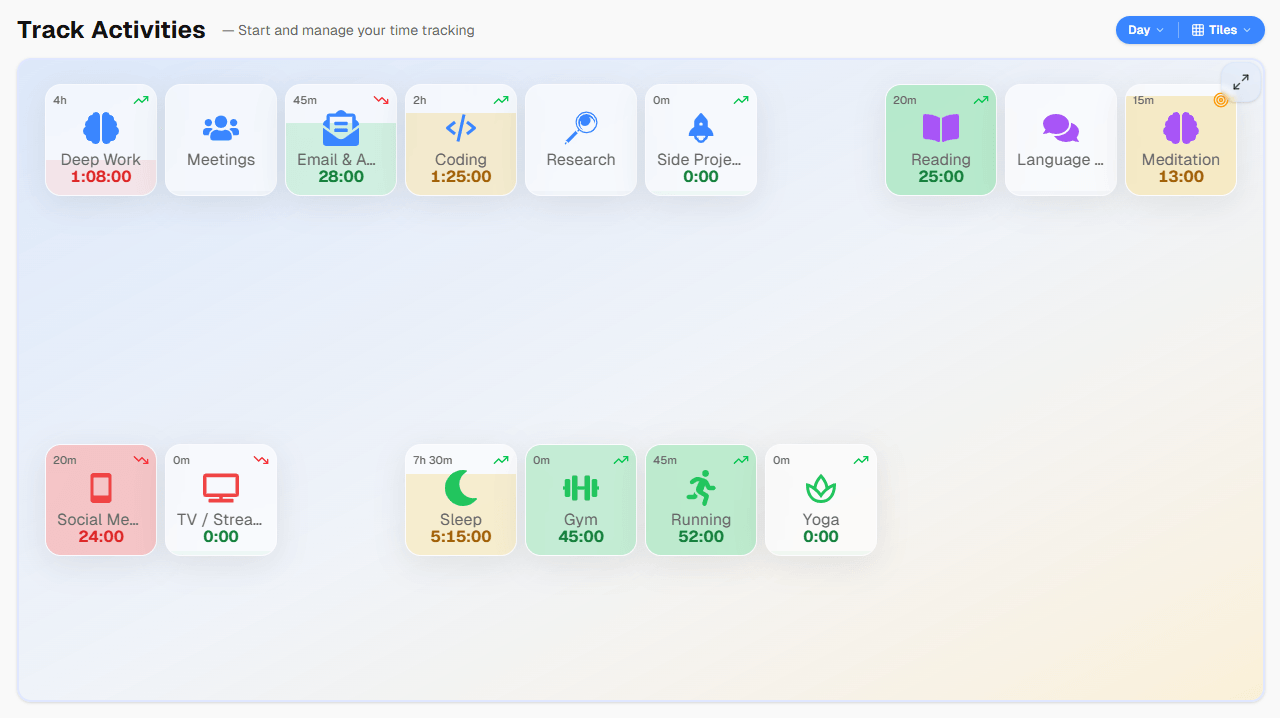 Three goal types in action: minimum (green when hit), maximum (red when exceeded), and exact (green only at the target).
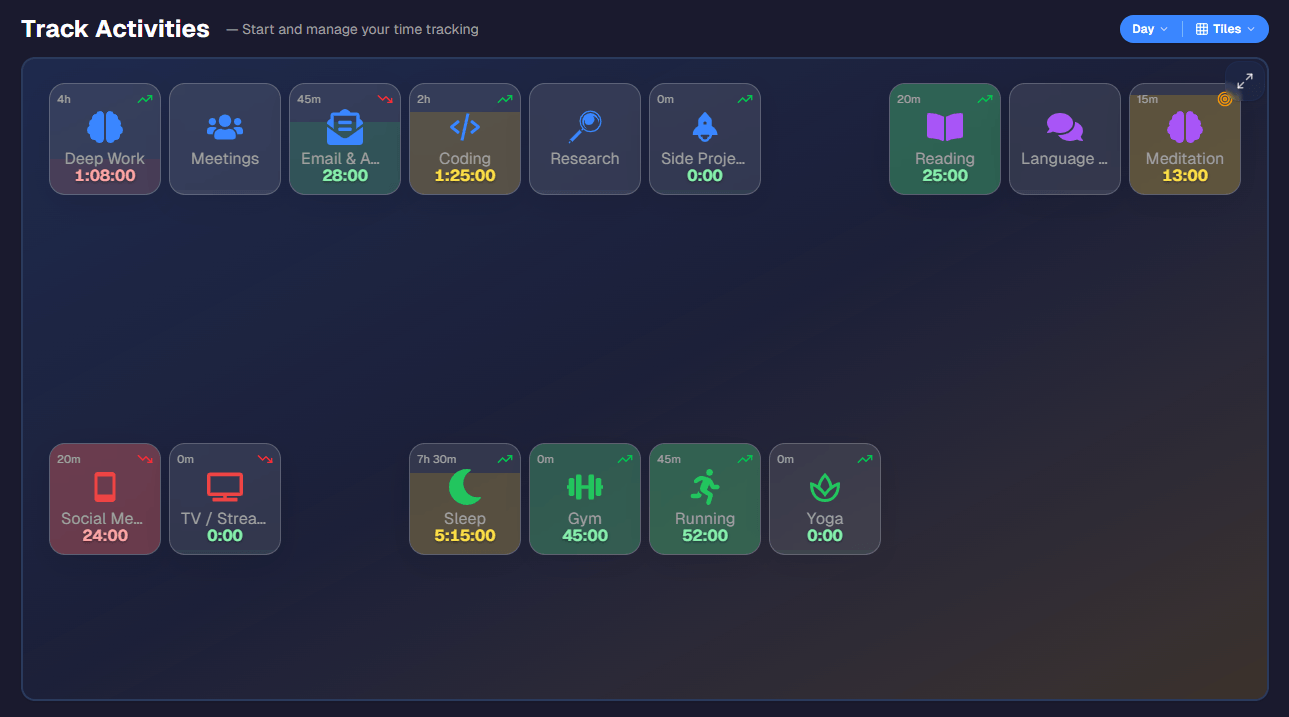 Three goal types in action: minimum (green when hit), maximum (red when exceeded), and exact (green only at the target).
All three goal types are built into timetracker.live — you pick the type when creating any activity, and your progress updates in real time as you track. Try it free.
Matching Goals to Your Schedule
Here's where most goal-setting falls apart: life isn't the same every day. Your Monday looks nothing like your Saturday. A "30 minutes of exercise daily" goal doesn't account for rest days. A "4 hours of deep work" goal doesn't make sense on weekends.
That's why one-size-fits-all daily goals are often wrong. You need goals that match your actual schedule.
Daily Goals
Same target, every day, no exceptions.
Best for habits you truly want every single day:
- Sleep: 8 hours (yes, every day — even weekends)
- Reading: 20 minutes
- Journaling: 10 minutes
Keep daily goals for activities where consistency matters and the target is achievable 7 days a week.
Workday Goals
Applies Monday through Friday only. Weekends are automatically skipped.
Perfect for work-related commitments:
- Deep work: at least 4 hours per workday
- Email: no more than 45 minutes per workday
- Learning: at least 30 minutes per workday
On Saturday and Sunday, these goals simply don't appear. No guilt for not doing "deep work" on a Sunday.
Weekend Goals
Applies Saturday and Sunday only. Weekdays are skipped.
Great for weekend-specific activities:
- Hobby project: at least 2 hours per weekend day
- Gaming: no more than 3 hours per weekend day
- Family outing: at least 1 hour per weekend day
Keeps weekend activities in check without cluttering your workday view.
Weekly Custom Schedule
Different targets for different days of the week.
This is where things get really flexible. Instead of one number for the whole week, you specify targets per day:
- Gym: Monday 60min, Wednesday 60min, Friday 60min (rest days have no goal)
- Side project: Tuesday 90min, Thursday 90min, Saturday 120min
- Yoga: Monday 30min, Wednesday 30min, Saturday 45min
This is perfect for activities that follow a training split or weekly routine. You're not trying to do everything every day — you have specific days for specific things, and the goals reflect that.
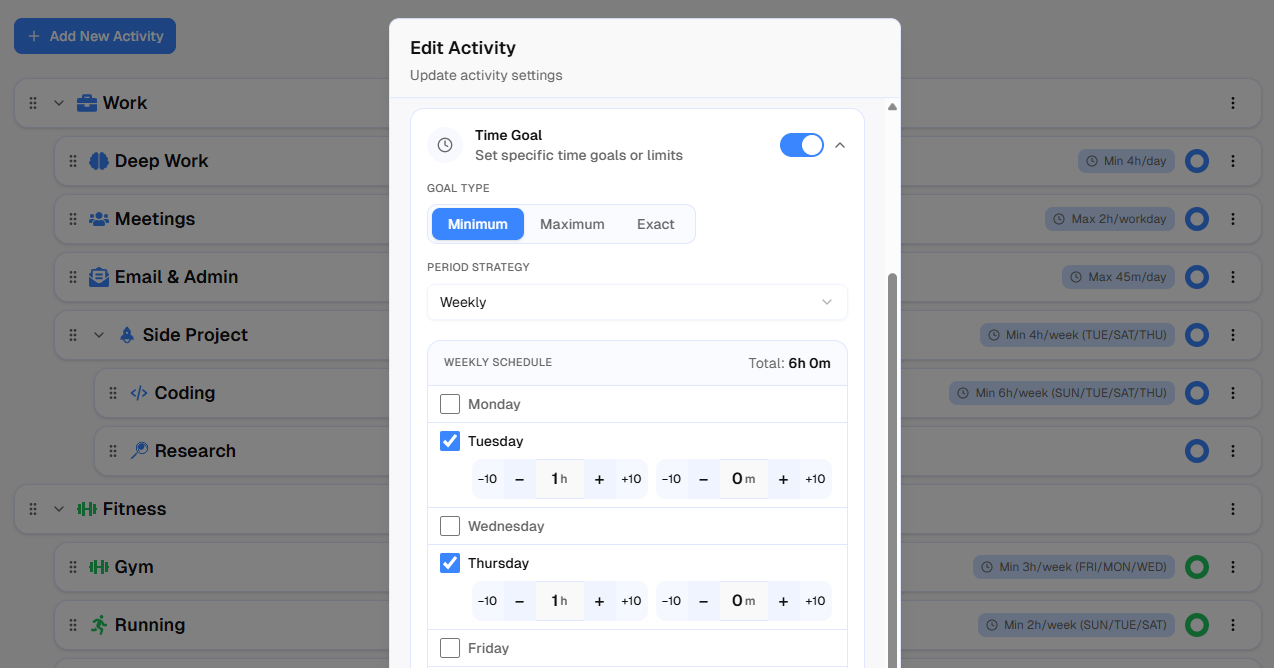 Setting up a weekly custom schedule: different targets for each day, rest days left blank.
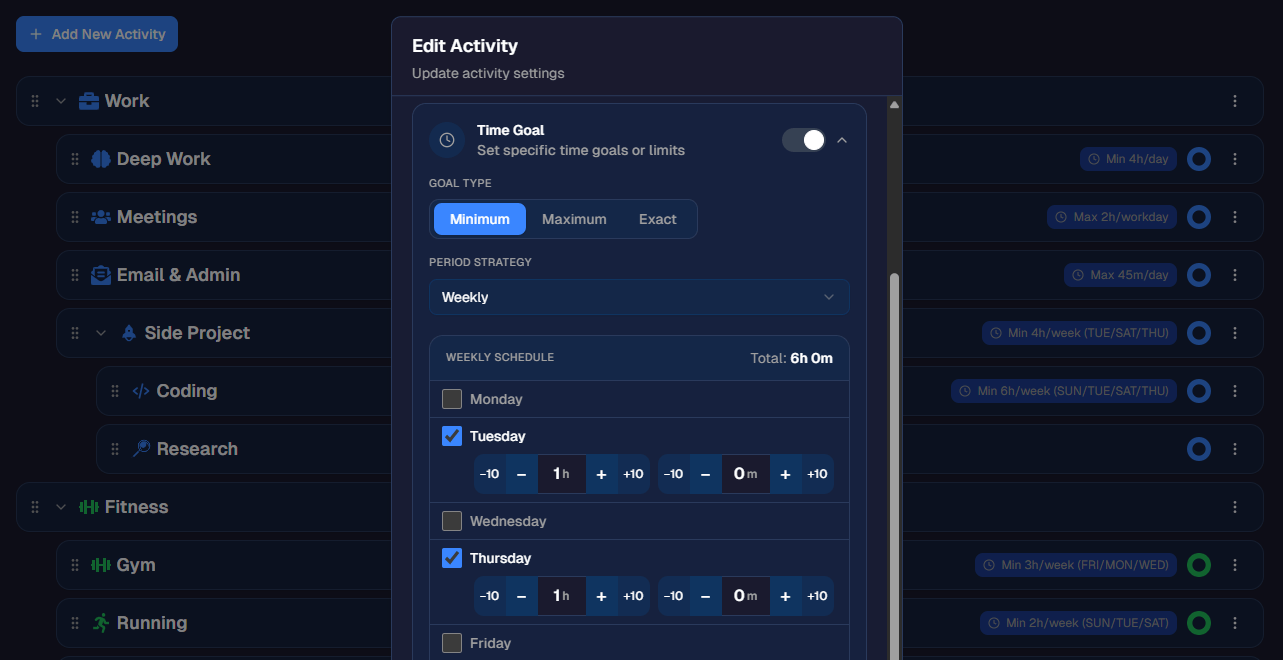 Setting up a weekly custom schedule: different targets for each day, rest days left blank.
Monthly Schedule
Different targets for specific dates of the month.
Useful for activities tied to calendar dates:
- Monthly review: 2 hours on the 1st and 15th
- Budget planning: 1 hour on the last day of each month
- Deep cleaning: 3 hours on the 1st Saturday (set via date)
Less common, but incredibly useful when you need it.
Most time trackers give you one option: a flat daily goal. In timetracker.live, you choose from daily, workday, weekend, weekly, or monthly — and for weekly and monthly, you customize the target for each individual day. Setting it up takes about 30 seconds per activity.
Real Example: A Complete Time Goal Setup for Work-Life Balance
Here's what a real setup in timetracker.live looks like for someone balancing work, health, and personal growth. You can organize all of these as nested activities to organize your tracking into a clean hierarchy:
Work:
- Deep work — minimum 4h, workday only
- Meetings — maximum 2h, workday only
- Email — maximum 45min, workday only
- Side project — minimum, weekly: Tue 1h, Thu 1h, Sat 2h
Health:
- Gym — minimum, weekly: Mon 1h, Wed 1h, Fri 1h
- Running — minimum, weekly: Tue 30min, Sat 45min
- Yoga — minimum, weekly: Mon 30min, Sat 30min
- Sleep — minimum 7h 30min, daily
Personal growth:
- Reading — minimum 20min, daily
- Language practice — exact 30min, workday only
- Meditation — exact 15min, daily
Limits:
- Social media — maximum 30min, daily
- TV/streaming — maximum 1h, daily
That's 14 goals across your entire life. Each one is specific, measurable, and matched to your actual schedule. On Monday morning, your timetracker.live dashboard shows exactly what you need to hit that day — with color-coded progress bars that update live as you track. Goals that don't apply to today simply don't appear.
Why This Works Better Than Willpower
The magic isn't in any single goal. It's in the feedback loop.
When you start tracking time against specific goals, three things happen:
1. You see reality. That "quick email check" was actually 1 hour 20 minutes. Your "regular gym habit" was 2 sessions last week, not 3. The numbers don't lie.
2. You adjust in real time. It's 6 PM and you've only done 15 minutes of reading? You know exactly what you need to do before bed. Your deep work is at 3h 45min at 4 PM? Just 15 more focused minutes.
3. You learn your patterns. After a few weeks, you'll know which goals you consistently hit (maybe they're too easy), which you consistently miss (maybe they're unrealistic), and which days are your strongest. Then you adjust.
 Weekly statistics with tree view: time rolls up from activities to categories, so you see both detail and the big picture.
 Weekly statistics with tree view: time rolls up from activities to categories, so you see both detail and the big picture.
This is fundamentally different from writing "exercise 3x/week" in a journal and hoping you remember. It's a system that tracks, measures, and shows you where you stand — every day, in real time.
Start With Just Three Time Goals
Don't set 14 goals on day one. If you're new to tracking your whole life, start by tracking all 24 hours of a single day, then set three goals:
- One minimum goal for something you want to do more of
- One maximum goal for something you want to limit
- Pick the right schedule — daily, workday, or weekly
Track for two weeks. See how it feels. Then add more goals as you learn what matters to you.
The point isn't to optimize every minute. It's to make sure the things that matter to you actually get your time — and the things that don't, stop silently stealing it.
Ready to set your first time goals? Create a free account on timetracker.live and add a goal to any activity. You'll see your progress update in real time as you track.
Related articles

How to Do a Time Audit You'll Actually Finish
Most time audits die on day three, killed by the alarm-and-notebook method. Here's a two-week version that survives contact with a real life, plus the categories to use and what to look for at the end.

I Used Toggl for Two Years to Track My Life. Here's Why I Stopped.
Toggl is the best work time tracker on the market. It's also the wrong tool for tracking your life. Here's what I learned after two years of trying to force it.