Why Time Tracking Fails (And How to Make It Stick)
Most people quit time tracking within a week. The problem isn't discipline — it's friction. Learn why time tracking fails and how the right tool makes it effortless.


You've tried time tracking before. Maybe you downloaded an app, tracked diligently for three days, then forgot on day four. By day five you felt too far behind to catch up. By day seven the app was buried on your second screen, and that was the end of it.
You're not alone. Most people who try time tracking quit within a week. Not because tracking isn't useful — it clearly is. But because the tools make it too hard to do consistently.
The problem isn't your discipline. It's friction.
The Three Frictions That Kill Time Tracking
Friction 1: Your tracker isn't where you are
You're at your desk and want to switch activities — but your tracker is an app on your phone, which is charging in the other room. Or you're on your phone and want to log something — but your tracker is a desktop app.
This is the single biggest reason people stop tracking. Life doesn't happen on one device. You start the morning on your phone, work on a laptop, check things on a tablet, switch back to your phone in the evening. If your tracker lives on only one of these, you'll skip entries every time you're on the wrong device.
The fix: track from whatever device is in front of you. A good time tracker works everywhere — web, Android, iPhone & iPad, Windows, and Mac — with everything synced in real time. Started a timer on your laptop at work? Switch it from your phone on the commute home. No need to remember, no need to catch up later. And as wearable technology matures, smartwatch support is the natural next step — imagine switching activities with a tap on your wrist, without even reaching for your phone.
Friction 2: Fixing mistakes is painful
Here's what happens multiple times a day: you forget to switch the timer. You were doing "Deep work" for an hour, then took a lunch break, but the timer kept running on "Deep work" for another 45 minutes before you noticed.
In most trackers, fixing this means: stop the current timer, find the wrong entry, manually edit its end time, create a new entry for lunch, set its start and end time. Five steps for a simple correction. After the third time this happens in one day, you stop caring about accuracy. After a few days of messy data, you stop tracking entirely.
The fix: effortless corrections. In timetracker.live, every common mistake has a one-gesture fix:
- Forgot to switch? Drag the boundary between two entries to where the switch actually happened. The previous entry shrinks, the current one grows. One drag, one second.
- Logged the wrong activity? Tap the entry and replace it with the correct one. No deleting, no recreating — just swap.
- Need to insert a missed activity? Split any entry in two with a single action. That 3-hour "Work" block that actually had a 30-minute lunch in the middle? Split it, assign the middle to "Lunch," done.
- Two entries that should be one? Merge them together. That "Deep work" interrupted by an accidental 2-minute switch? Merge it back into a single block.
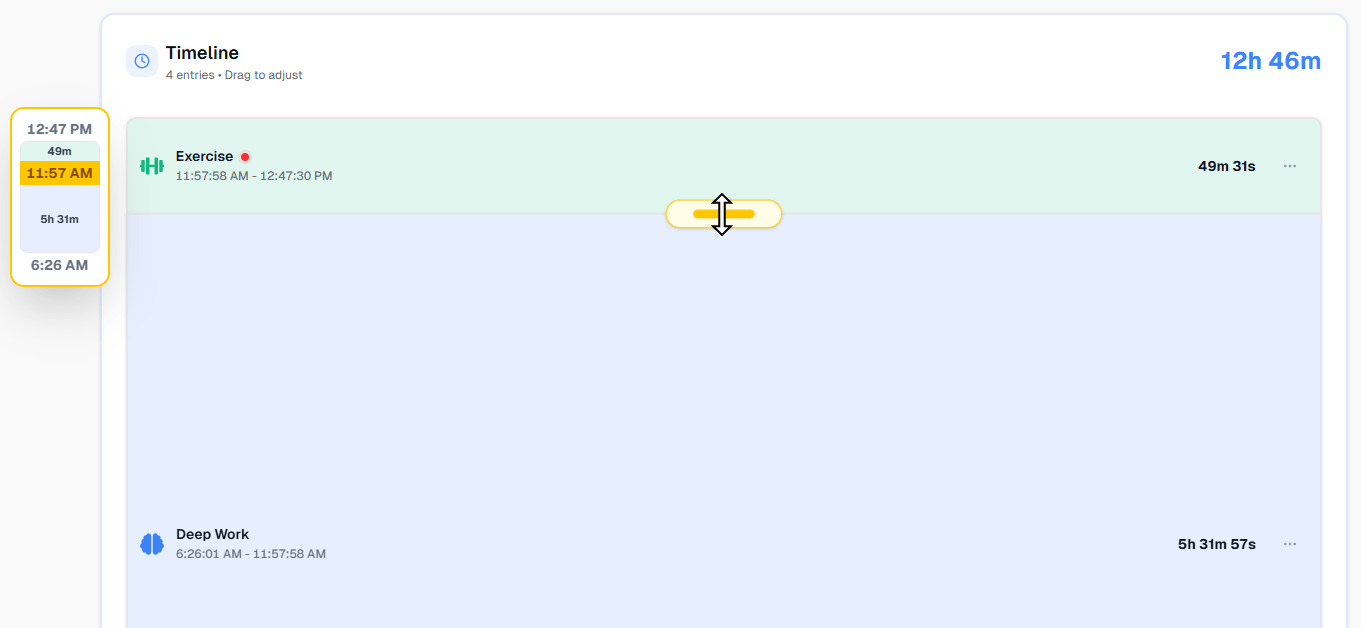
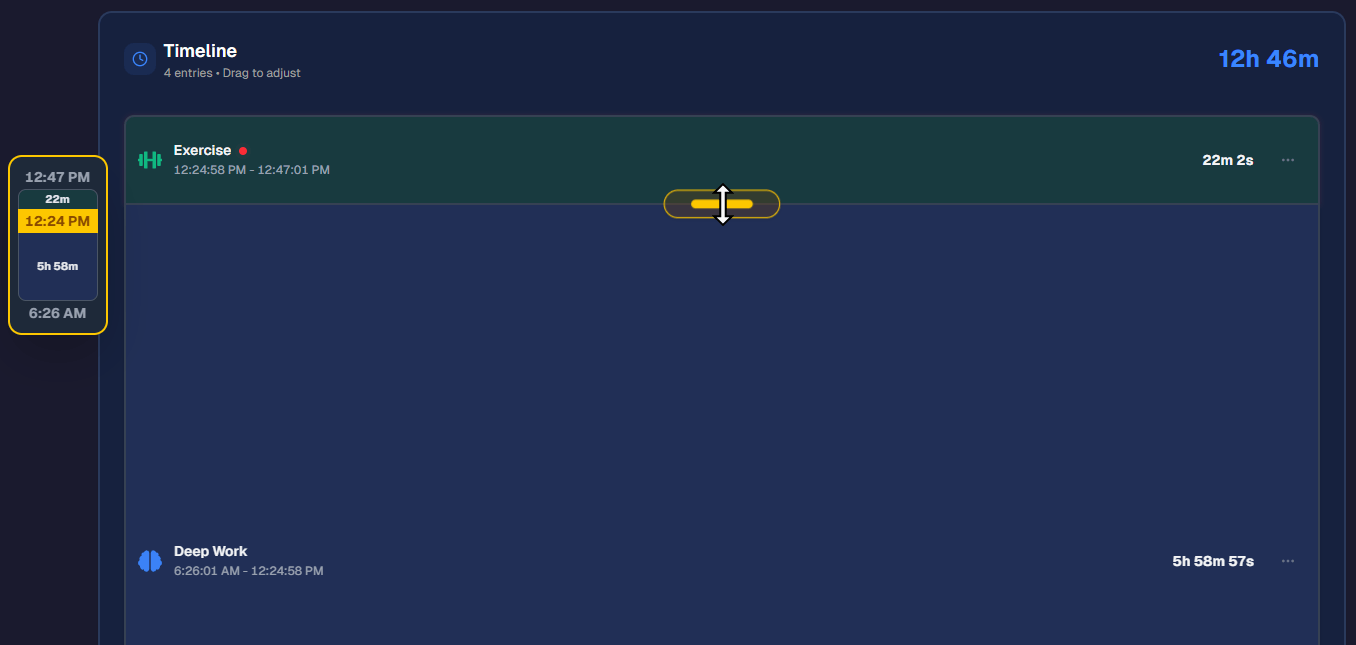
No manual timestamp editing. No deleting entries and recreating them from scratch. Just intuitive corrections that take seconds, not minutes. This is the difference between tracking that survives real life and tracking that only works in theory.
Friction 3: The setup is overwhelming
You open a new time tracker and it asks you to create projects, tags, clients, billing rates. You stare at it for 10 minutes, not sure how to organize your personal life into these work-oriented boxes. So you close it and never come back.
Or the opposite: you go overboard. You create 40 activities across 12 categories because you want "complete" tracking. Then every time you want to log something, you scroll through a massive list looking for the right entry. The overhead becomes bigger than the benefit.
The fix: start with categories, not projects. Define 5-7 categories — Work, Health, Sleep, Learning, Social, Leisure, Maintenance — and add 3-5 activities under each. That's 20-30 activities, which covers a full day without overwhelming you. You can always add nesting and detail later as you discover what matters.
The Real Test: What Happens When You Skip a Day
Every tracking system faces the same moment of truth: you miss a day. Maybe you were busy, maybe you forgot, maybe you just didn't feel like it. What happens next determines whether you continue or quit.
With most tools, a missed day creates a gap in your data that feels permanent. You think: "My data is incomplete now, so what's the point?" This all-or-nothing thinking is the #1 killer of tracking habits.
Here's the reality: a day with 80% accuracy is infinitely more useful than a day with 0%. And a week where you tracked 5 out of 7 days still gives you a clear picture of where your time goes.
The right mindset isn't "track perfectly." It's "track more than yesterday." Even rough entries added from memory the next morning are valuable. "I slept from roughly 11 PM to 7 AM, worked from 9 to 5 with a lunch break, and spent the evening with family" — that's five entries that capture the shape of a day, and it took 30 seconds.
What "Effortless" Tracking Actually Looks Like
When the friction is removed, tracking becomes almost invisible. Here's what a typical day looks like with a well-set-up system:
Morning. You wake up and grab your phone. Tap "Morning routine" — this automatically ends your "Sleep" entry. Get ready, tap "Commute" when you leave.
Work. You sit down at your laptop. Open the web app, tap "Deep work." Switch to "Meeting" when one starts. Switch to "Lunch" at noon. All one-tap actions, on whatever device is in front of you.
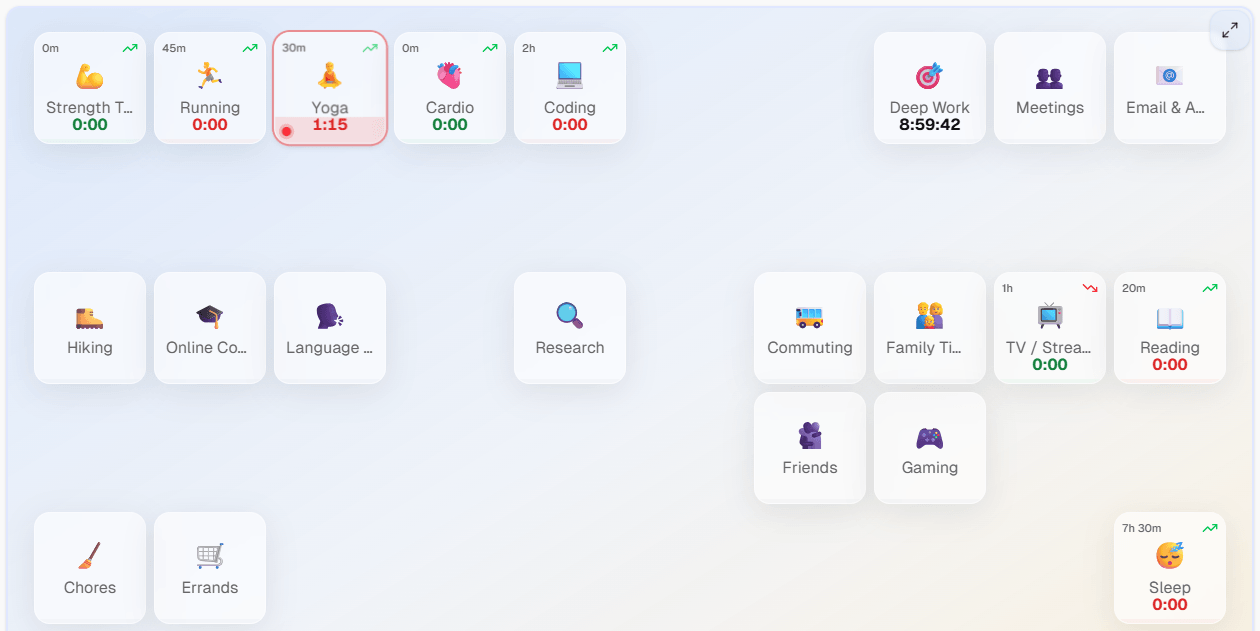
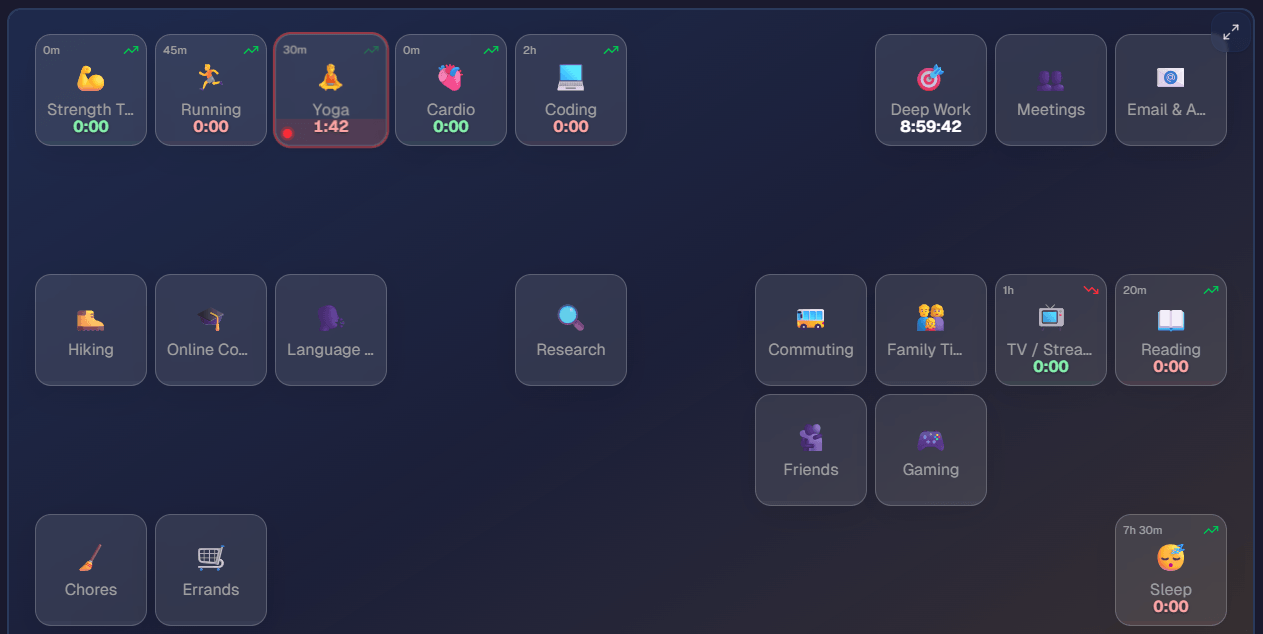
Evening. You leave work and switch to "Commute" on your phone. At home, "Cooking," then "Family time," then "TV," then "Sleep." Each switch: one tap, two seconds.
Corrections. You notice "Deep work" ran 20 minutes too long because you forgot to switch when a colleague interrupted you. Drag the boundary. Fixed.
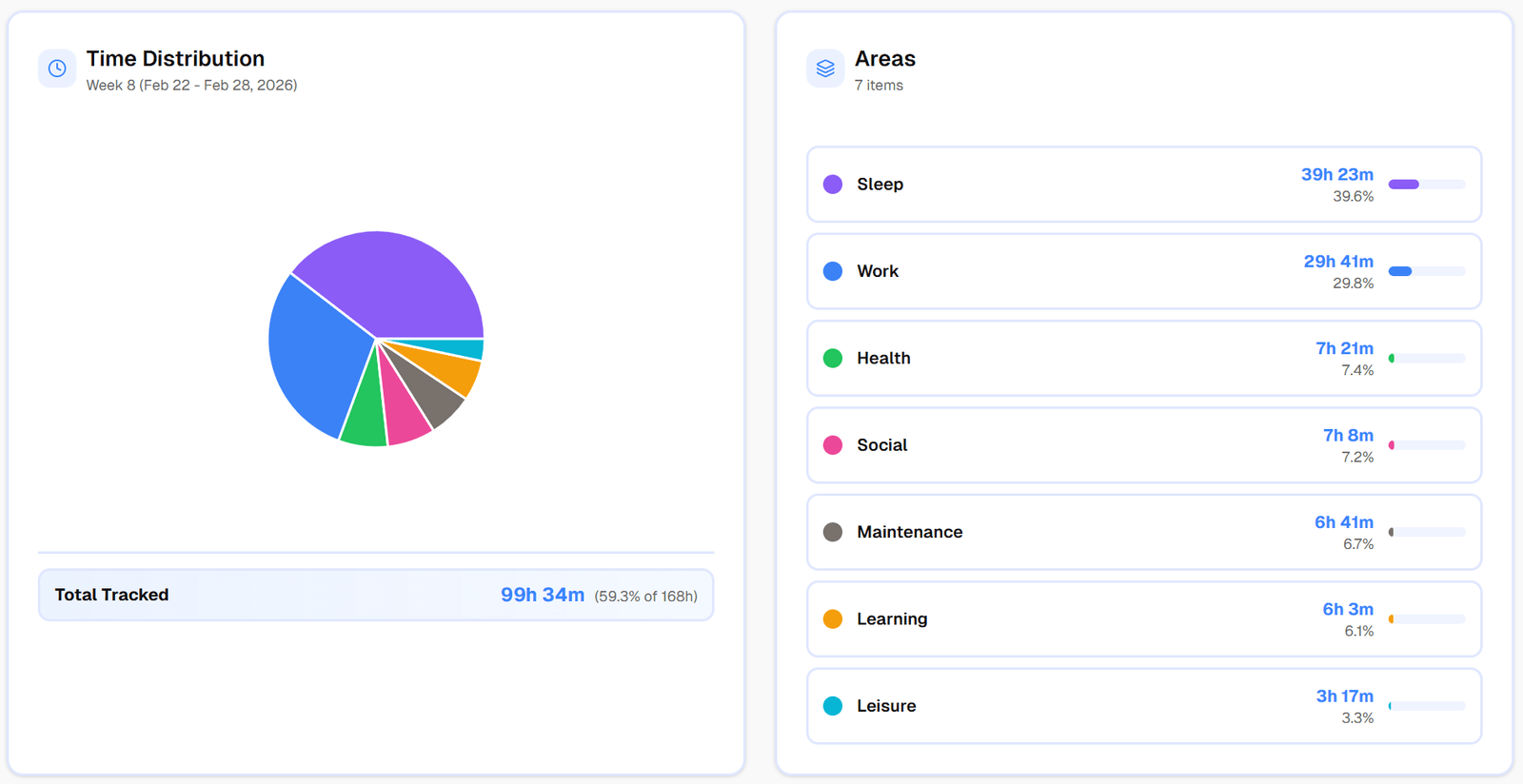
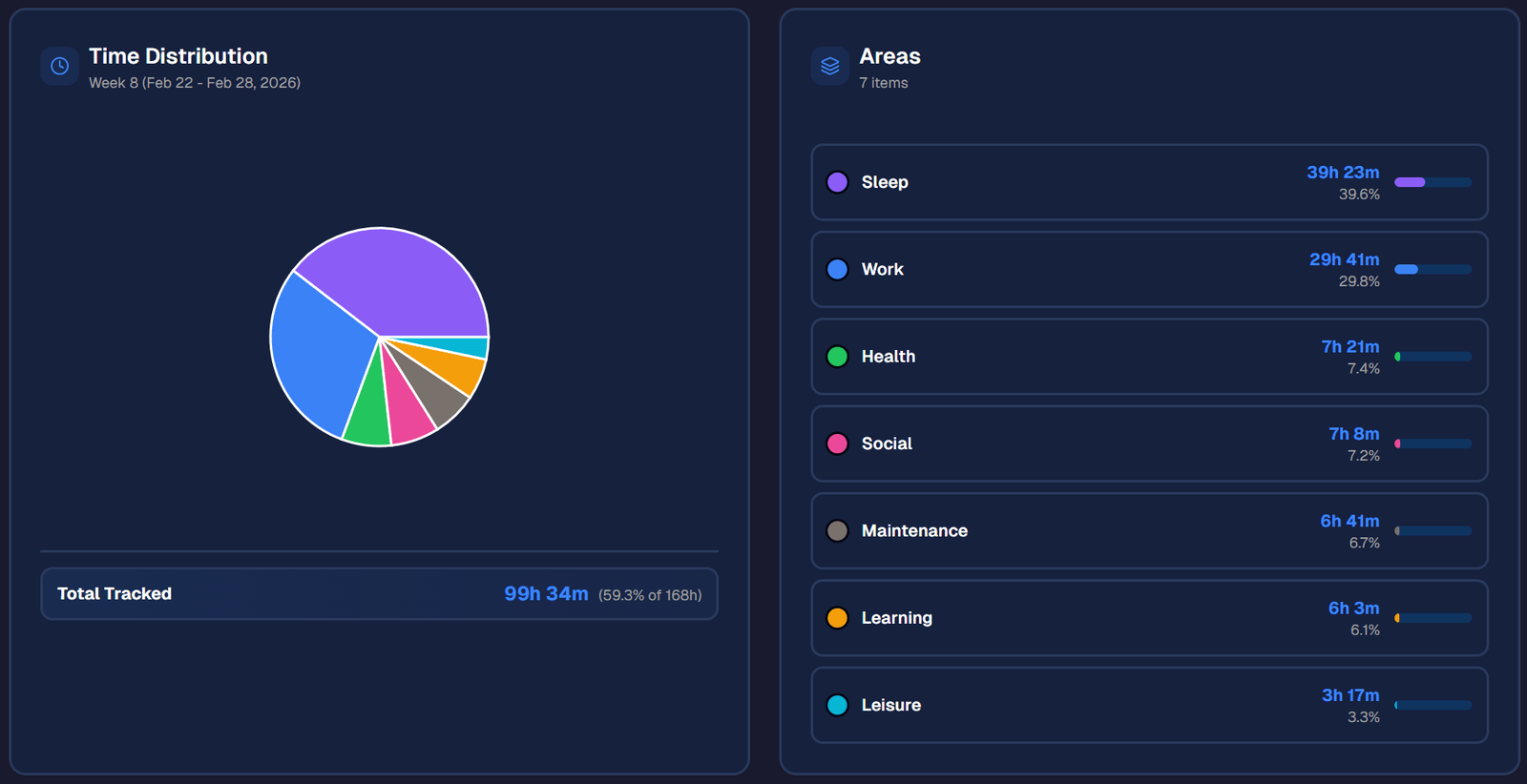
Weekly review. Sunday evening, you spend 5 minutes looking at your week. The data is all there — not because you were disciplined, but because tracking was too easy to skip.
The Compound Effect of Low Friction
Here's what most people don't realize: the difference between a tool with high friction and a tool with low friction isn't just comfort — it's data quality over time.
A high-friction tracker gives you 1-2 weeks of good data before you quit. You get a snapshot, maybe some insights, then nothing.
A low-friction tracker gives you months of continuous data. And time data gets exponentially more valuable over time:
- Week 1: You see a rough daily breakdown. Interesting, but not actionable.
- Week 4: You see weekly patterns. "I always exercise less on Wednesdays. I always waste evenings on Tuesdays." Now you can act.
- Month 3: You see monthly trends. "I've been sleeping 30 minutes less per night since I started that new project." Now you can intervene before it becomes a problem.
- Month 6: You have a complete picture of how your life allocation shifts with seasons, projects, and life events. This is genuinely life-changing data that no other tool provides.
None of this happens if you quit after a week. And whether you quit after a week is almost entirely determined by how much friction the tool creates.
The Checklist for a Tracker That Sticks
If you've failed at time tracking before, run your next tool through this checklist:
- Works on every device? Web, Android, iOS, Windows, Mac — with real-time sync. Bonus points if it supports (or plans to support) smartwatches for truly frictionless switching. If it's mobile-only or desktop-only, you'll hit friction daily.
- One-tap switching? Starting a new activity should end the previous one automatically. No manual stop + start.
- Easy boundary editing? When you forget to switch (and you will), can you fix it in one gesture? Or do you need to manually edit timestamps?
- Category categories? Can you organize activities around your whole life, not just work projects?
- Forgives imperfection? Does it work with approximate entries and partial days, or does it demand precision?
- Goals that flex? Can you set weekly minimums and maximums, or only rigid daily targets?
If your tool checks all of these, the remaining variable is just building the habit — and with low friction, the habit builds itself.
Start With One Day
Don't commit to tracking your whole life forever. Commit to tracking one day. Tomorrow. From when you wake up to when you go to bed.
Create a free account on timetracker.live, set up your categories in 2 minutes, and track all 24 hours of a single day. If it feels like a chore, stop. If it feels easy — and it will — keep going.
The difference between failed time tracking and successful time tracking isn't motivation. It's the number of taps between you and your data.
Related articles
How to Do a Time Audit You'll Actually Finish
Most time audits die on day three, killed by the alarm-and-notebook method. Here's a two-week version that survives contact with a real life, plus the categories to use and what to look for at the end.
I Used Toggl for Two Years to Track My Life. Here's Why I Stopped.
Toggl is the best work time tracker on the market. It's also the wrong tool for tracking your life. Here's what I learned after two years of trying to force it.